


Desktop-quality document tools. Built for BlackBerry.
Give users powerful PDF editing, document scanning, and secure Office editing, integrated with BlackBerry Work. Cloud customers can edit attachments in native Microsoft Office apps through a protected workflow. On-premises customers can use Notate’s built-in Office suite—no Microsoft cloud required.
BlackBerry
What IT gets
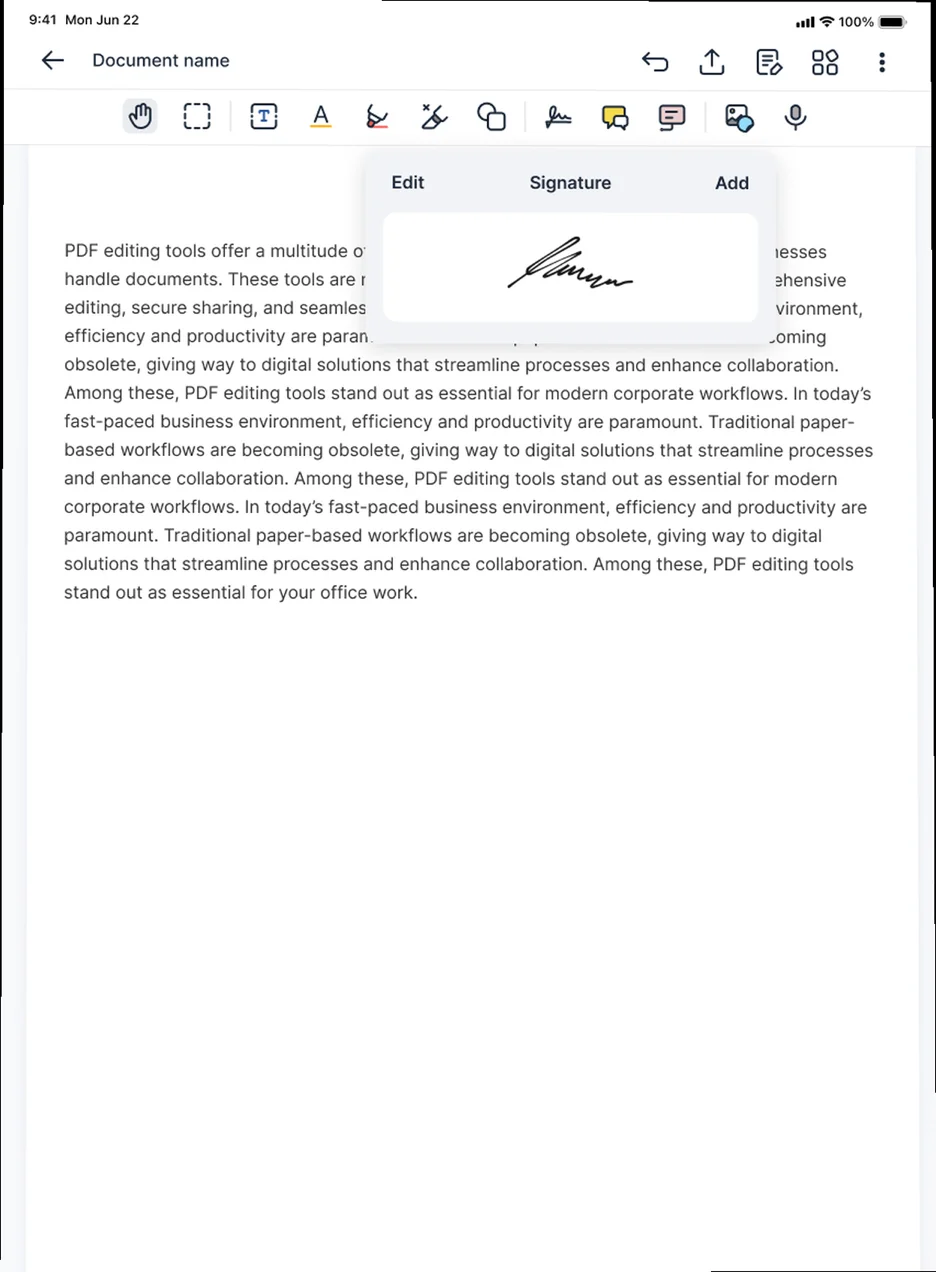
 Desktop-quality PDF annotation, digital signatures, and redaction.
- Direct integration with BlackBerry Work for email attachments.
- Native Microsoft Office editing for cloud environments.
- A built-in Office suite for fully on-premises environments.
- Integration with BEMS and BlackBerry Workspaces.

Office editing that fits your environment.
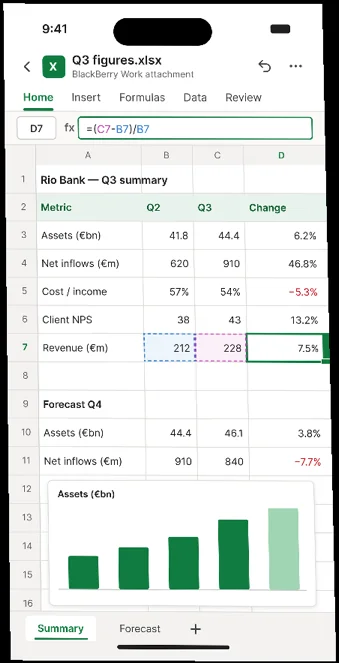
Microsoft Office for cloud-connected users
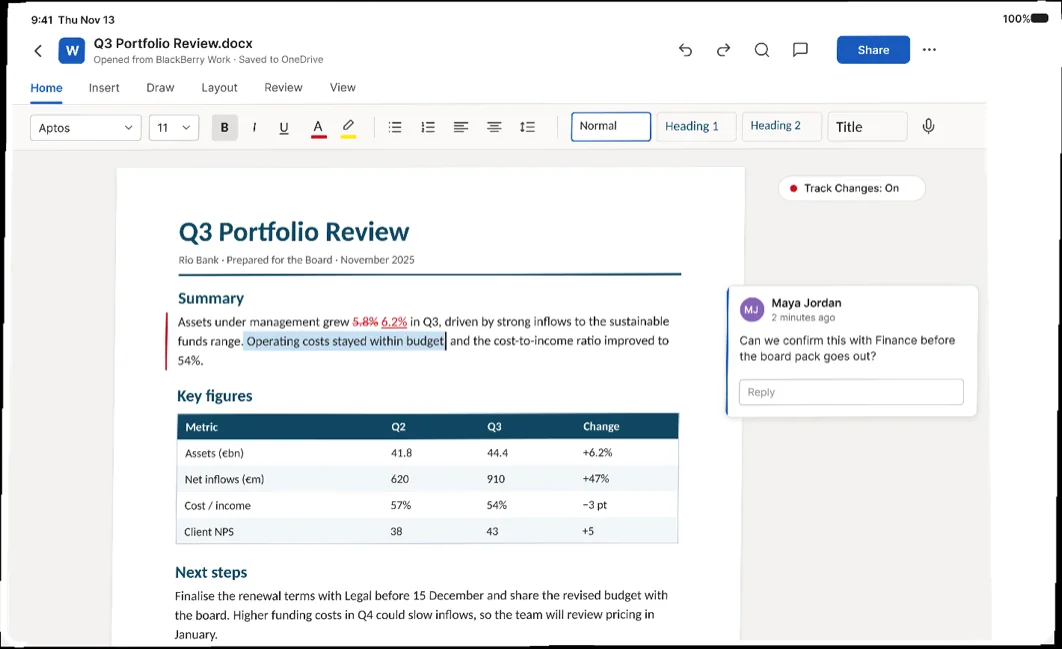
Open email attachments directly from BlackBerry Work through Notate into native Word, Excel, and PowerPoint apps. Give users the Microsoft editing experience they expect, without passing documents through unmanaged apps or storage.
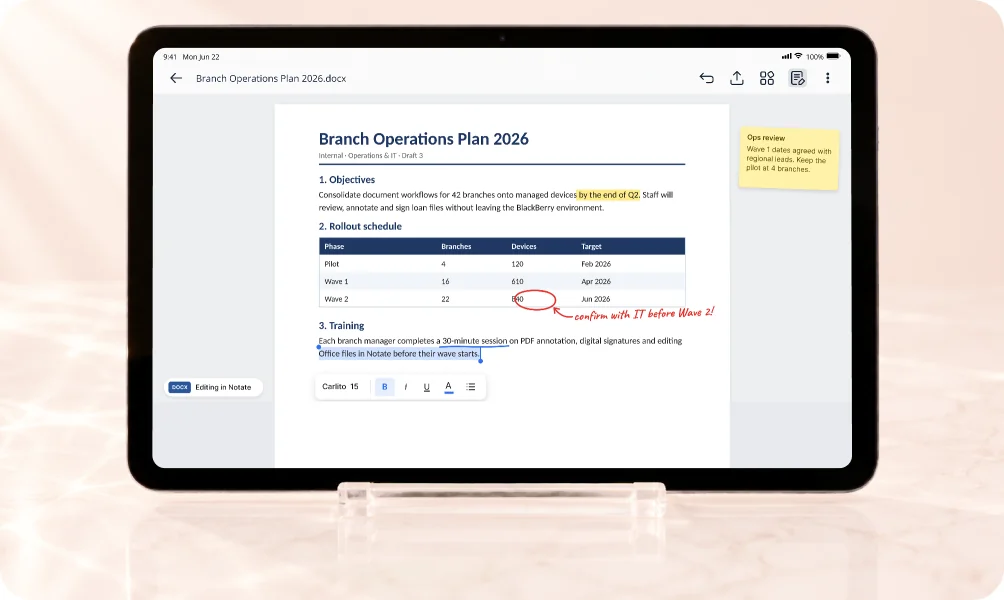
Built-in Office editing for on-premises users
Edit Word, Excel, and PowerPoint documents with Notate’s built-in Office suite. Keep users productive within your BlackBerry environment—without requiring Microsoft cloud services.
Built for your BlackBerry environment

BlackBerry Work integration
Open email attachments from BlackBerry Work, edit or annotate them, and return them through a connected workflow.
BEMS integration
Give users access to corporate documents through your existing BlackBerry Enterprise Mobility Server infrastructure.
BlackBerry Workspaces
Access documents in BlackBerry Workspaces alongside your other corporate repositories.
DLP document watermarks
Display on-screen document watermarks to help deter unauthorized capture and sharing.
Desktop-quality PDF tools
Annotate, digitally sign, scan, and redact documents without returning to a desktop.
Centralized UEM configuration
Configure document sources, available tools, and security settings directly in the BlackBerry UEM console.
Questions about Notate for BlackBerry
Yes. Notate integrates directly with BlackBerry Work so users can open, edit, and return attachments through a protected workflow.
Yes. For cloud-connected environments, Notate integrates with native Microsoft Office apps without passing documents through unmanaged containers.
Administrators configure document sources, editing tools, and security settings directly in the BlackBerry UEM console.
See Notate in your environment.
A 30-day trial, or a demo with the engineers who built it.